Get Cell in A1 Notation from Column and Row Indices
Given a start and end column and row pairing, generate the A1 Notation. Note that Google Sheets indices are 1-based and NOT 0-based.
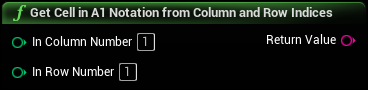
Inputs
|
In Column Number
Integer
|
The column index. Note that Google Sheets indices are 1-based and NOT 0-based. Will be silently corrected to 1 if less than 1. |
|
In Row Number
Integer
|
The row index. Note that Google Sheets indices are 1-based and NOT 0-based. Will be silently corrected to 1 if less than 1. |
Outputs
|
Return Value
String
|
An FString to which to write the final calculated range, expressed in A1 Notation. |